







A modern home theater processor has a big job. It has to manage your sources, decode immersive audio, communicate with your TV, control multiple subwoofers, stream music, correct for the room, and somehow make all of that feel simple when you sit down to watch a movie.
That is the idea behind the Emotiva LX Series. LX combines serious home theater capability with a cleaner, more approachable way to use it every day.
In Part 1 of our three-part LX guide, we’ll cover what the LX platform is, the difference between the receiver and processor, and the major features you’ll want to know before you start setting up your system.
Receiver or Processor?
Let’s start with the basic information.
• An AV receiver combines surround processing and power amplification in one chassis.
• An AV processor handles the audio and video processing, but relies on separate power amplifiers to drive your speakers.
Choose the LXR-11 receiver if:
You want a simpler, more compact system with built-in amplification. It gives you the system's brains and power for your speakers in a single component, while still providing options for system expansion.
Choose the LXP-16 processor if:
You prefer separate amplification or want more freedom to choose the amplifiers that power your system. With separates, the processor handles decoding, switching, room correction, volume control, and system management while your external amplifiers handle the speakers.
Neither approach is inherently better for every room. The right choice depends on how large your system is, how much flexibility you want, and how you prefer to build it.
Built for Immersive Home Theater
The LX platform supports up to 16-channel decoding and system layouts up to 9.4.6.
That's a lot of numbers, so let’s make it simple.
A 9.4.6 system can include:
• Nine speakers around the main listening level
• Up to four independently managed subwoofers
• Six height or overhead speakers
That gives you the foundation for a large, fully immersive home theater.
For smaller systems, you simply configure the LX for the speakers you actually have. You do not need to build a 16-channel theater to take advantage of the platform.
Four Subwoofers, Managed Independently
Bass is one of the hardest things to get right in a room. One seat can have plenty of bass while another seat a few feet away has too little, or far too much.
LX provides four independently managed subwoofer outputs. That gives the system more control over how multiple subwoofers work together in the room, including level, delay, and room-correction adjustments.
If you are building a serious theater, multiple properly integrated subwoofers can make a substantial difference in how consistent the bass feels across the listening area.
Modern HDMI for Modern Sources
Your processor sits in the middle of nearly everything in a home theater, so HDMI matters.
The LX platform uses HDMI 2.1 connectivity with support for modern video features, including:
• 4K at 120Hz
• 8K at 60Hz
• Variable Refresh Rate
• Quick Media Switching
• Modern HDR formats
For movie watchers, that means compatibility with today's high-resolution video sources.
For gamers, features such as 4K/120 and Variable Refresh Rate can be especially important when paired with compatible source devices and displays.
As always, the complete signal chain matters. Your source, display, settings, and HDMI cables also need to support the format you want to use.
Why Only Four HDMI Inputs?
More is not always better.
Rather than filling the back panel with HDMI inputs most owners may never use, the LX platform uses four HDMI inputs with a simplified architecture. The goal is straightforward: fast switching, reliable communication, and less unnecessary complexity.
There are also dual HDMI outputs, giving you flexibility when working with multiple displays.
Dirac Room Correction
Even great speakers change once you put them in a room.
Walls reflect sound. Floors and ceilings affect it, as does furniture. The shape of the room even affects how sound fills it. Then add multiple speakers and subwoofers into the mix, all interacting with one another.
Room correction is the key to unlocking custom sound for your exact space.
LX supports advanced Dirac room correction, including:
• Dirac Live
• Dirac Live Bass Control
• Dirac ART
These tools measure how your speakers behave in your actual room and create correction filters designed to improve the response at the listening area.
A Simple Start
You don't have to become a room-acoustics expert on day one. For many owners, Dirac Live is the trusted starting point. It gives you powerful room correction without requiring you to dive immediately into the more advanced capabilities of Bass Control or ART.
The more advanced options are there when you want to go further.
We’ll cover Dirac setup in much more detail in Part 2 of this guide.
Built-In Music Streaming
LX is not only a movie machine, but it also includes network-based music playback and app control.
From a compatible device, you can access common playback functions such as:
• Volume
• Input selection
• Music playback
• Track information
• Album artwork
It also covers integrated support for services including Spotify Connect, TIDAL, and Qobuz. You can also access compatible music files from USB storage.
The idea is to make LX just as comfortable playing an album on a quiet evening as it is decoding an immersive movie soundtrack.
Wi-Fi, Ethernet, and Bluetooth
LX includes both wired and wireless network connectivity. If you can run Ethernet to your equipment, we generally recommend it. A hardwired network connection is simple and dependable. Wi-Fi is also available when running a cable is not practical.
One thing to keep in mind is placement. Metal equipment racks and enclosed cabinets can affect wireless performance, so antenna position matters.
Bluetooth In and Out
Bluetooth works in both receive and transmit modes. That means you can send audio to the LX system from a compatible Bluetooth device, or send audio from the LX system to compatible Bluetooth headphones.
Late-night movie? Send the audio to your headphones and keep watching without sharing the soundtrack with the rest of the house.
Bluetooth transmit and receive are selectable modes rather than simultaneous functions.
A Useful Front Panel
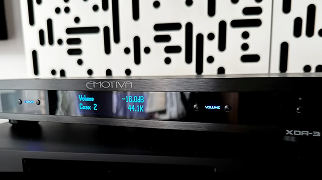
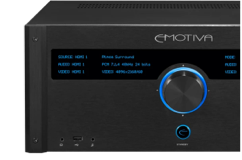
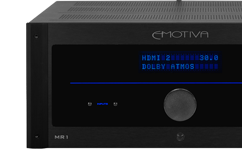
The LX front panel is designed to be readable from the listening position.
The displays can show useful information such as:
• Current input
• Volume
• Incoming audio format
• Surround processing mode
• Playback information
It sounds simple, but when you are sitting across the room, being able to glance at the component and understand what it is doing is a real quality-of-life improvement.
Dolby and DTS format information can also be presented with recognizable graphics rather than relying entirely on small strings of text.
A Simple Menu System
Home theater products can quickly become complicated. LX does not eliminate the advanced controls, but makes them easier to find and navigate.
The on-screen menu appears as an overlay, so you can make common adjustments without completely leaving what you are watching.
Depending on your setup, you can access things such as:
• Speaker configuration
• Crossovers
• Levels
• HDMI information
• Dynamic range settings
• EQ
• System information
There is also a simplified global EQ for basic tonal adjustments.
If you simply want a little more or less bass or treble, you don't have to become a calibration engineer to make that change.
Built-In HDMI Troubleshooting
Anyone who has owned a home theater for a while knows that HDMI occasionally has a mind of its own.
The LX series features an HDMI information screen that provides greater visibility into what is happening.
It can help you check things such as:
• HDMI connection status
• Active output
• Communication with the display
• ARC status
If something in the video chain isn't behaving properly, having information available directly from the processor can make troubleshooting much easier.
We’ll dig further into the HDMI setup and source device behavior in Part 3.
Built for Music Too
A processor designed for home theater shouldn't forget about two-channel listening.
LX includes analog connectivity for music-focused systems, including a phono input and balanced analog connectivity. The platform also provides a reference stereo path through its balanced inputs for owners using a dedicated external source such as a DAC or CD player.
So while LX can sit at the center of a large immersive theater, it is still very comfortable when the evening calls for two speakers and an album.
USB-C Connectivity
LX moves to USB-C connectivity rather than the older USB-B style commonly found on many audio components.
For owners, the important part is simple: USB connectivity now uses the connector you are increasingly likely to already have around the house.
Headphone Listening
In addition to Bluetooth headphone transmission, LX includes a front-panel headphone connection. The system can remember the previous headphone listening level, helping make the transition between speakers and headphones more convenient.
That is one of those small features that does not sound exciting on a specification sheet. But at 11:30 at night, while everyone is asleep, you'll be happy it's there.
Over-the-Air Firmware Updates
Once LX is connected to your network, firmware updates can be delivered over the air. That means less time downloading files, moving them to USB drives, and manually updating the processor.
We recommend checking for current firmware when initially installing the unit.
The product can operate without immediate firmware updates, but the current firmware may include refinements to system behavior, compatibility, menus, and processing.
We’ll walk through network setup and firmware updating in Part 2.
What's in the Box?
Along with the LX component itself are the accessories needed to get started, including items such as:
• Remote control
• Calibration microphone
• Microphone cable
• Microphone stand
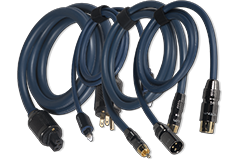
• Power cord
• Wireless antennas
• Trigger cable
• Batteries
• Documentation
One easy-to-miss item is the microphone cable, which may be packed lower in the box.
Before the packaging goes into storage, make sure you have removed all the accessories.
The LX Remote
The LX remote is backlit and designed around physical controls. Motion-sensitive illumination makes it easier to use in a darkened theater.
Display brightness is adjusted through the LX menu rather than through a dedicated dim button on the remote. That makes accidentally turning off or dimming the front display much less likely.
A small, but very useful (and highly requested!) change.
The Big Picture
LX was designed around a simple idea:
Give enthusiasts the capability of a serious modern home theater without making everyday use feel like operating a control room.
You can build a large immersive system.
You can manage multiple subwoofers.
You can use advanced Dirac room correction.
You can stream music.
You can connect modern gaming and video sources.
Or you can just....press play and watch a movie.
The sophistication is there when you need it, but it doesn't get in the way.
Next: Getting LX Connected and Calibrated
In Part 2 of our LX Learning Guide, we'll move from the feature overview into setup.
We'll cover:
• Connecting LX to your network
• Wi-Fi and wired Ethernet
• Firmware updates
• Getting started with Dirac
• Microphone setup
• Common network and calibration troubleshooting
If Part 1 answers "What can LX do?", Part 2 answers "How do I get it set up correctly?"
Share Post


